
How to Use Promo Codes on QuikHitch
Save on your next ride or earn bonus payouts. Here's exactly how to apply promo codes as a passenger or driver.
Before You Start
Promo codes come with expiry dates and specific conditions (like minimum booking amount or eligible routes). Double-check these details before applying — expired or ineligible codes won't work. If you run into any issues, reach out to our support team directly through the app.
For Passengers: Apply a Promo Code to Your Booking
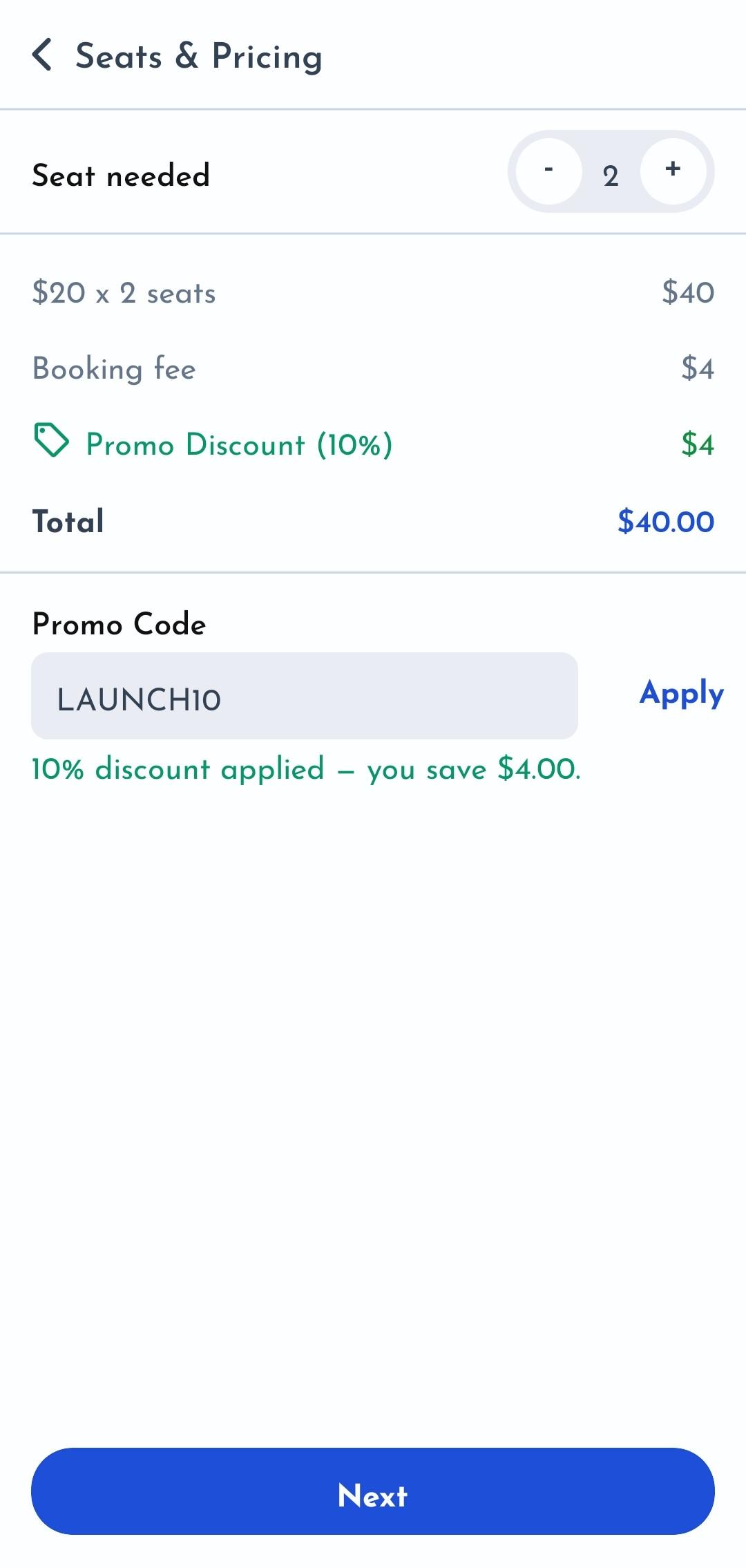
Promo codes are applied during the booking process, right on the Seats & Pricing screen. Here's how it works.
💡 Tip: Each promo code applies to the full booking price (all seats included). You'll see the exact discount amount before you pay. If something doesn't look right, double check the conditions for the promo code.
Step 1: Get to Seats & Pricing
Select your ride → tap Next → agree to booking instructions. You'll land on the Seats & Pricing screen.
Step 2: Enter & Apply
Find the promo code box, type your code, and tap Apply. Booking multiple seats? Do that here too — the code covers the full booking.
Step 3: Confirm the Discount
Valid or invalid shows instantly. If valid, the discount amount appears on your total. Tap Next to pay the reduced price.
For Drivers: Apply a Driver Promo Code
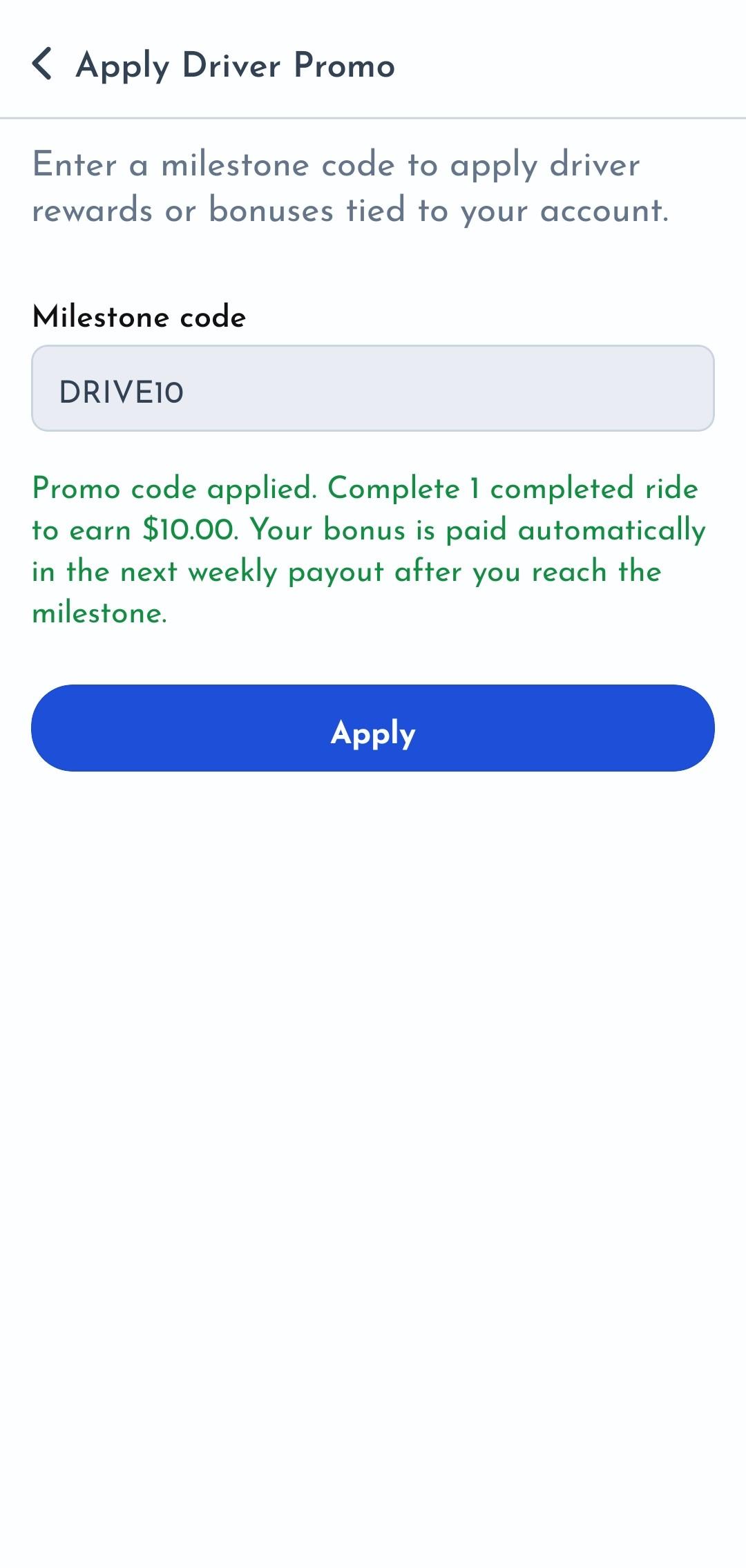
Driver promo codes work differently — they're applied through your account settings and reward you automatically as you complete rides.
💡 Tip: Driver promos are tied to ride completions. The bonus lands in your payout automatically once you hit the required number of trips. Contact support via the app if you need help.
Step 1: Open Profile
Tap Profile from the bottom navigation bar.
Step 2: Go to Apply Driver Promo
In Account Settings, tap Apply Driver Promo.
Step 3: Enter & Submit
Type your code and submit. Valid or invalid shows immediately.
How Driver Promos Pay Out
The promo activates automatically. Complete the required rides and the bonus goes straight to your payout — no extra steps.
A Note on Promo History
Applied promos don't show in the app yet, but they're tracked and applied on our end. Your bonus will appear in your payout once requirements are met. Questions? Reach out to support through the app.
Frequently Asked Questions
Got a Promo Code? Try It Now
Download QuikHitch and apply your promo code on your next ride. Save on bookings or earn bonus payouts as a driver.